
PicoScope 7 Automotive
Available for Windows, Mac, and Linux, the next evolution of our diagnostic scope software is now available.

Automotive guided tests
Library of examples on how to perform tests when using PicoScope.

Training
Our collection of training videos, articles, guides and information on training courses.

Waveform library
The Waveform Library is a global database of waveforms uploaded by PicoScope users.

Case studies
Real-life case studies show how the professionals use PicoScope to diagnose vehicle faults.

A to Z of PicoScope
Detailed description of various PicoScope software and hardware features.

Videos
Training resources and demonstrations on PicoScope and the Automotive Diagnostics Kit.

Newsletter
Archive of our monthly Automotive Newsletters.

Documentation
Download manuals, brochures, posters, and training materials.

Reviews and awards
Accolades for the preferred diagnostic tool for service centers and vehicle manufacturers.

Here you can download the latest versions of our automotive diagnostics software. If you do not yet have a PicoScope you can still download the software free of charge and run it in demo mode. A list of supported scope models is below:
PicoScope 3223 • PicoScope 3423 • PicoScope 4223 • PicoScope 4423 • PicoScope 4823 • PicoScope 4225 • PicoScope 4425 • PicoScope 4225A • PicoScope 4425A
Note: Test & Measurement scopes such as the PicoScope 2000 Series are not supported within our Automotive software.
Two versions of PicoScope 7 Automotive are available; Stable and Early Access.
Stable: After thorough testing by the automotive team, this software is judged to be suitable for use in the workshop. It can include features that are in beta where they are robust but not yet complete.
Early Access: This version provides early access to the latest features and fixes so that you can try them out and send us early feedback. This keeps us on the right track and gives us an opportunity to catch and fix any new bugs so that they are less likely to make it into the stable version.
PicoScope 6 should only be used for those features not yet released in PicoScope 7 or by users running 32-bit operating systems. When all features are available in PicoScope 7, PicoScope 6 will then be retired.
| Operating system: | Windows |
| Released: | March 14 2024 |
| Release type: | Stable (recommended) |
| Size: | 882 MB |
| Windows download | Download PicoScope 7.1.21 Stable for Windows |
| Operating system: | macOS |
| Released: | March 14 2024 |
| Release type: | Stable (recommended) |
| Size: | 709 MB |
| macOS download | Download PicoScope 7.1.21 Stable for macOS |
PicoScope is distributed via our online repositories. For operating system-specific instructions, please choose your distribution.
sudo bash -c 'wget -O- https://labs.picotech.com/Release.gpg.key | gpg --dearmor > /usr/share/keyrings/picotech-archive-keyring.gpg'
sudo bash -c 'echo "deb [signed-by=/usr/share/keyrings/picotech-archive-keyring.gpg] https://labs.picotech.com/picoscope7auto/debian/ picoscope main" >/etc/apt/sources.list.d/picoscope7.list'
sudo apt-get update
sudo apt-get install picoscope
sudo rpmkeys --import http://labs.picotech.com/repomd.xml.key
sudo zypper addrepo https://labs.picotech.com/picoscope7auto/rpm/ picoscope
sudo rm /etc/zypp/repos.d/picoscope.repo
sudo zypper refresh
sudo zypper install picoscope
sudo rpm -e picoscope libpl1000 libps2000 libps2000a libps3000 libps3000a libps4000 libps4000a libps5000 libps5000a libps6000 libusbdrdaq libpicoipp libpicocv
PicoScope 7 Automotive is the latest version of our oscilloscope software and comes bundled with our PicoDiagnostics software. This release is only compatible with our automotive PicoScopes. (PicoScope 6 is available for users of non-automotive oscilloscopes.)
This latest stable version (7.0.116) includes full implementations of:
In addition, a brand-new CAN-XL decoder has been added to Serial decoding to accompany its CAN and CAN-FD decoder siblings.
The new release also includes bug fixes and refinements, new device drivers to support our 4823 devices, and support for new BNC+ accessories, some of which now can be used as a tachograph speed reference input in our NVH software.
| Software/feature | Supported systems | Supported languages |
|---|---|---|
| PicoScope 7 Automotive |
|
Čeština, Dansk, Deutsch, English (United Kingdom), English (United States), Español (España), Español (México), Français (Canada), Français (France), Hvratski, Italiano, Magyar, Nederlands, Norsk bomål, Polski, Português (Brasil), Português (Portugal), Română, Slovenŝĉina, Srpski, Suomi, Svenska, Türkçe, Ελληνικά, Български, Русский, 한국어, 中文 (简体), 中文 (繁體), 日本語 |
| Waveform library |
|
Čeština, Dansk, Deutsch, English (United Kingdom), English (United States), Español (España), Español (México), Français (Canada), Français (France), Hvratski, Italiano, Magyar, Nederlands, Norsk bomål, Polski, Português (Brasil), Português (Portugal), Română, Slovenŝĉina, Srpski, Suomi, Svenska, Türkçe, Ελληνικά, Български, Русский, 한국어, 中文 (简体), 中文 (繁體), 日本語 |
| Guided tests |
|
Čeština, Dansk, Deutsch, English, Español (España), Español (México), Français (Canada), Français (France), Hvratski, Italiano, Magyar, Nederlands, Norsk bomål, Polski, Português (Brasil), Português (Portugal), Română, Slovenŝĉina, Srpski, Suomi, Svenska, Türkçe, Ελληνικά, Български, Русский, 한국어, 中文 (简体), 中文 (繁體), 日本語 |
| PicoDiagnostics/NVH |
|
Čeština, Dansk, Deutsch, English, Español (España), Español (México), Français (Canada), Français (France), Hvratski, Italiano, Magyar, Nederlands, Norsk bomål, Polski, Português (Brasil), Português (Portugal), Română, Slovenŝĉina, Srpski, Suomi, Svenska, Türkçe, Ελληνικά, Български, Русский, 한국어, 中文 (简体), 中文 (繁體), 日本語 |
| Operating system: | Windows |
| Released: | April 08 2024 |
| Release type: | Early Access |
| Size: | 889 MB |
| Windows download | Download PicoScope 7.1.26 Early Access for Windows |
| Operating system: | macOS |
| Released: | April 08 2024 |
| Release type: | Early Access |
| Size: | 745 MB |
| macOS download | Download PicoScope 7.1.26 Early Access for macOS |
PicoScope is distributed via our online repositories. For operating system-specific instructions, please choose your distribution.
sudo bash -c 'wget -O- https://labs.picotech.com/Release.gpg.key | gpg --dearmor > /usr/share/keyrings/picotech-archive-keyring.gpg'
sudo bash -c 'echo "deb [signed-by=/usr/share/keyrings/picotech-archive-keyring.gpg] https://labs.picotech.com/rc/picoscope7auto/debian/ picoscope main" >/etc/apt/sources.list.d/picoscope7.list'
sudo apt-get update
sudo apt-get install picoscope
sudo rpmkeys --import http://labs.picotech.com/repomd.xml.key
sudo zypper addrepo https://labs.picotech.com/rc/picoscope7auto/rpm/ picoscope
sudo rm /etc/zypp/repos.d/picoscope.repo
sudo zypper refresh
sudo zypper install picoscope
sudo rpm -e picoscope libpl1000 libps2000 libps2000a libps3000 libps3000a libps4000 libps4000a libps5000 libps5000a libps6000 libusbdrdaq libpicoipp libpicocv
PicoScope 7 Automotive is the latest version of our oscilloscope software. This release is compatible with all automotive PicoScopes. (PicoScope 6 is available for users of non-automotive oscilloscopes.)
New Features
Bug Fixes
New Features
Bug Fixes
New Features
Bug Fixes
New Features
Bug Fixes
| Software/feature | Supported systems | Supported languages |
|---|---|---|
| PicoScope 7 Automotive |
|
Čeština, Dansk, Deutsch, English (United Kingdom), English (United States), Español (España), Español (México), Français (Canada), Français (France), Hvratski, Italiano, Magyar, Nederlands, Norsk bomål, Polski, Português (Brasil), Português (Portugal), Română, Slovenŝĉina, Srpski, Suomi, Svenska, Türkçe, Ελληνικά, Български, Русский, 한국어, 中文 (简体), 中文 (繁體), 日本語 |
| Waveform library |
|
Čeština, Dansk, Deutsch, English (United Kingdom), English (United States), Español (España), Español (México), Français (Canada), Français (France), Hvratski, Italiano, Magyar, Nederlands, Norsk bomål, Polski, Português (Brasil), Português (Portugal), Română, Slovenŝĉina, Srpski, Suomi, Svenska, Türkçe, Ελληνικά, Български, Русский, 한국어, 中文 (简体), 中文 (繁體), 日本語 |
| Guided tests |
|
Deutsch, English (United States), Español (España), Français (France), Italiano, Magyar, Nederlands, Polski, Português (Portugal), Ελληνικά, 한국어, 中文 (简体), 中文 (繁體), 日本語 |
| PicoDiagnostics/NVH |
|
Čeština, Dansk, Deutsch, English, Español (España), Español (México), Français (Canada), Français (France), Hvratski, Italiano, Magyar, Nederlands, Norsk bomål, Polski, Português (Brasil), Português (Portugal), Română, Slovenŝĉina, Srpski, Suomi, Svenska, Türkçe, Ελληνικά, Български, Русский, 한국어, 中文 (简体), 中文 (繁體), 日本語 |
| Operating system: | Windows |
| Released: | June 27 2023 |
| Release type: | Legacy |
| Size: | 469 MB |
This is the latest version of our PicoScope 6 Automotive oscilloscope software. This release is compatible with all automotive PicoScopes. (PicoScope 6 is available for users of non-automotive oscilloscopes.)
Note: PicoScope 6 Automotive and PicoScope 7 Automotive handle the new PicoScope 4425A and 4225A models differently: Generally a .psdata file can be opened in both PicoScope 6 Automotive and PicoScope 7 Automotive. However, if it has been saved in PicoScope 7 Automotive using a 4425A or 4225A device then PicoScope 6 Automotive cannot recognise the probe settings. In this case, to open a file correctly in PicoScope 6 Automotive, remove any connected PicoScope device and connect a demo device so that PicoScope is in demo mode. You will then be able to load your file.
After downloading the correct file for your operating system, open the installer and follow the on-screen instructions.
| Software/feature | Supported systems | Supported languages |
|---|---|---|
| PicoScope 6 Automotive | Windows 11, 10, 8 and 7 (32-bit and 64-bit). | English, Français, Deutsch, Italiano, Español, 中文 (简体), 中文 (繁體), Čeština, Dansk, suomi, Ελληνικά, Magyar, 한국어**, 日本語, Norsk, Polski***, Português, română, Русский, Svenska, Türkçe |
| Guided tests | Windows 11, 10, 8 and 7 (32-bit and 64-bit). | English, Français, Deutsch, Italiano, Español |
| PicoDiagnostics/NVH | Windows 11, 10, 8 and 7 (32-bit and 64-bit). | English, Français, Deutsch, Italiano, Español, 中文 (简体), 中文 (繁體), Čeština, Dansk, suomi, Ελληνικά, Magyar, 한국어*, 日本語, Norsk, Polski**, Português, română, Русский, Svenska, Türkçe |
* Korean available only from Pico distributor in Korea www.picoauto.co.kr.
** Polish available only from Pico distributors in Poland. For contact information please see our Distributor map.
| Operating system: | Windows |
| Released: | April 26 2023 |
| Release type: | Milliohm |
| Size: | 89 MB |
| Windows download | Download MT03A Milliohm and Motor Tester software 1.0.1 for Windows |
| Operating system: | Windows |
| Released: | February 22 2024 |
| Release type: | PicoLog |
| Size: | 103 MB |
| Windows download | Download PicoLog 6.2.9 for Windows |
| Operating system: | macOS |
| Released: | February 22 2024 |
| Release type: | PicoLog |
| Size: | 128 MB |
| macOS download | Download PicoLog 6.2.9 for macOS |
| Operating system: | Linux |
| Released: | February 22 2024 |
| Release type: | PicoLog |
| Size: | 126 MB |
| Windows download | Download PicoLog 6.2.9 for Linux |

Here is the list of updates and fixes in this latest release of PicoLog Cloud:
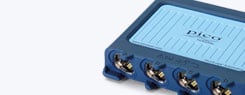


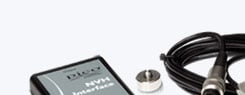
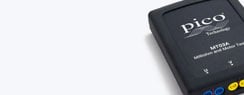
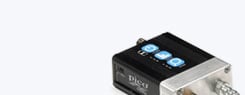






 PicoScope 7.1.21 Stable (recommended)
 PicoScope Training App: iOS/Android




 PicoScope 7.1.26 Early Access
  PicoScope 6.14.69
  MT03A Milliohm and Motor Tester software 1.0.1
  PicoLog 6.2.9 (Optional data logging software)